
Quick Summary
An engraving proof is a preview of exactly how your text will look on the finished gift before anything is cut or etched. To check it, read every line slowly for spelling, punctuation, names and dates, then confirm the font, text size and layout match what you ordered.
- Ask for a proof in writing if the seller does not send one automatically.
- Check names, dates and punctuation line by line, since small marks can change the meaning.
- Ask a second person to read the proof, because they often catch errors you have missed.
- Review on a computer at full size, and zoom in on each line to judge spacing.
- Batch all corrections into one reply, naming the line, the word and the fix.
Table of Contents
- What an Engraving Proof Shows and When You Will Get One
- Engraving Proof Checklist: Review the Wording Line by Line
- How to Check Gift Engraving Proof Online on Your Phone or Computer
- What to Check Before Approving an Engraving Proof, and What to Do If Something Is Wrong
- Short Engraving Quotes for Him and How to Proof Them
- Approve Your Proof and Give a Keepsake You Can Trust
- Frequently Asked Questions
What an Engraving Proof Shows and When You Will Get One
Last Updated: November 7, 2026
An engraving proof is a preview of exactly how your text will look on the finished gift before anything is cut, etched or stamped. It shows the wording, the lettering style, the layout and where the text sits on the piece. Checking it carefully is the last easy chance to catch a mistake, so give it your full attention.
Proof steps and formats vary by seller. Check your order details for when and how a proof will be sent, rather than assuming one will arrive automatically.
Keep these points in mind:
Some sellers do not send a proof unless you ask. Check the seller's proof policy before ordering and request one in writing if you need it.
Engraving Proof Checklist: Review the Wording Line by Line
Read every line slowly, as if you were the recipient. Mistakes hide in names, dates and small punctuation marks, and a line-by-line review catches far more than a quick glance.
Work through the proof in this order:
Checking spelling, punctuation, names, and dates
Spelling and punctuation are the most common problems. Read each word aloud and check names, places and unusual words, since a missing comma or apostrophe can change the meaning.
Pay close attention to:
Ask someone else to read the proof too; a second person often spots errors you have read past many times.
Confirming the font, lettering style, and text size
The font and lettering style set the mood of the gift. Compare the proof to the style you picked and make sure they match.
Check that the text is large enough to read comfortably on the finished piece. Very small script or long lines can be hard to read, so confirm every letter is clear and no characters look like others.
The checklist below summarises the main points to check on an engraving proof, drawn from the sections above.
| Check | What to look for | Why it matters |
|---|---|---|
| Spelling and punctuation | Every word, name and mark | Missing commas or apostrophes can change meaning |
| Names and dates | Exact spelling and correct dates | Wrong names or dates are the most common costly errors |
| Font and lettering style | Matches the style you chose | Sets the mood of the gift |
| Text size | Readable on the finished piece | Small script or long lines can be hard to read |
| Second reader | A fresh pair of eyes | Catches errors you have read past many times |
How to Check Gift Engraving Proof Online on Your Phone or Computer
Most sellers send proofs by email or through an online order page. Review on whichever device gives the clearest view, and take extra steps on a phone to make small text readable.
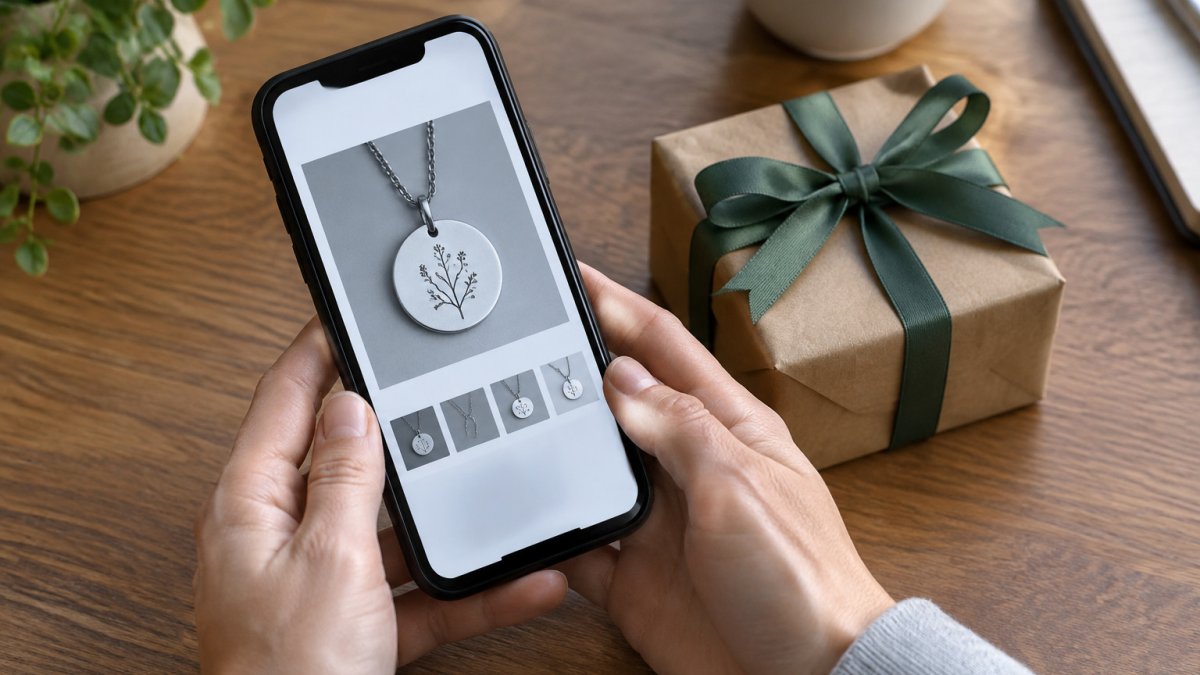
On a computer, open the proof at full size and zoom in on each line; a larger screen makes spacing and alignment easier to judge and lets you compare it side by side with your order confirmation. On a phone, pinch to zoom, scroll slowly, rotate to landscape for wide designs, and turn up brightness so faint text does not disappear.
Follow these steps to review the proof online:
Accessibility and mobile review tips
Small proofs are easy to misread on a phone. Apply screen magnifier or larger text settings before opening the proof, and for low-contrast previews switch to a higher-contrast display mode or view on a desktop monitor.
A second set of eyes helps more than a second device; a fresh reader often catches a swapped letter or missing apostrophe you have read past many times.
Watch out: approving a proof from a thumbnail or notification preview is a common cause of missed errors, because the image is too small to show punctuation and spacing clearly.
When the link expires or the file will not open
If the link expires or the file will not open, contact the seller right away and ask for a fresh link or a PDF attachment. Do not approve a proof you cannot see clearly, and do not rely on a forwarded screenshot that may be cropped or compressed. Check the order page's proof status before emailing, since the proof may be waiting behind a login.
What to Check Before Approving an Engraving Proof, and What to Do If Something Is Wrong
Before you approve, check layout and placement, not just the words: that the text sits where you expect, nothing is cut off near the edges, and the margins look balanced. Confirm the proof is drawn to scale, because a preview stretched to fill a screen can make text look larger or better centered than it will be on the finished item.
If the proof does not say, ask the seller directly: is this preview shown at actual size relative to the product? If not, use the product dimensions in your order details to judge fit.
Work through these checks before you approve:
Requesting revisions and meeting approval deadlines
If you find a mistake, tell the seller right away and describe exactly what needs to change.
Ask how many revision rounds are included before you order, and check the terms for any costs on additional rounds. Batch every correction into a single reply rather than sending them one at a time.
Approval deadlines matter as much as the corrections. Custom engraving typically starts only after you approve the proof.
Watch out: approving a proof before you have read every line is a common way a wrong name or date reaches production.
When the proof is missing or incorrect
A proof that never arrives is a practical problem, not a rare one. Check your spam and promotions folders first, then search your inbox for the seller's domain. If the order page has a proof link, open it there before assuming nothing was sent.
If the proof shows the wrong artwork, the wrong product, or text from a different order, do not approve it and do not try to fix it by email alone. Reply with a screenshot of the mismatch and ask the seller to confirm which order the proof belongs to.
What a proof cannot show
A digital proof sets expectations for wording and layout, but it cannot show everything about the finished piece. Engraving depth, the shine or matte finish of the cut, color variation in wood, metal, or leather, and small production differences are not visible in a preview. Ask the seller what variation is normal for the material you chose, and treat the proof as a check on text and placement rather than a guarantee of the final surface appearance.
Short Engraving Quotes for Him and How to Proof Them
Short quotes are popular for gifts for men because they are simple and meaningful. Browse a dad and husband gift already designed for him to see how a short quote looks on a finished piece.

Because there are fewer words, each character matters. Check for:
- The exact spelling of every word
- Correct punctuation, especially at the end
- The right date or initials
- Consistent capitalization
- Spacing between words and lines
Compare the quote to your original notes before you approve it. A short quote with one wrong letter can look careless, so take a few extra seconds on every character.
Moments that Matter offers personalized keepsakes you can use as a reference for how a finished gift looks.

Approve Your Proof and Give a Keepsake You Can Trust
Checking an engraving proof takes only a few minutes, but it protects the gift you have chosen. Read every line, compare the details and zoom in on the layout. When everything matches, approve the proof with confidence.
At Moments that Matter, each piece is made to order in the USA, and every order includes tracking. Our keepsakes are made with durable, premium materials. Browse our collection and find their gift today.
Frequently Asked Questions
What should I check on a gift engraving proof?
Check every word against your original order, including spelling, punctuation, capitalization, names, and dates. Confirm the font and lettering style match what you chose, and look at text placement and size so the message fits the engraving area without crowding the edges. Compare the proof to the product you selected, since the engraving area on a bracelet, watch, or journal differs. Once you approve, production usually begins, so changes after that point may not be possible.
How do I check a gift engraving proof online?
Open the proof email or the order page on a computer or phone and enlarge the image so you can read small lettering clearly. Read the text aloud, then compare it line by line with the message you submitted. Check the spacing between words and the placement of any monogram or symbol. If the proof is missing, ask the seller to send it before production begins, since many sellers will not send one unless you request it.
Can I request changes after approving an engraving proof?
Changes are often possible only before you approve the proof, and most sellers treat approval as the point where engraving begins. If you spot an error after approving, contact the seller right away and explain what needs correcting, including your order number and a screenshot. Policies on corrections vary by seller, so check the terms for revision windows and any costs before placing your order.
What should I do if the finished engraving does not match the proof?
Take clear photos of the finished piece and the approved proof side by side, then contact the seller with your order number as soon as possible. Describe the specific difference, such as a misspelled name or a wrong font. Reputable sellers will review the mismatch and offer a correction or replacement. Keep the packaging and any receipts until the issue is resolved.
